iPhone Charging Problems: Common Questions Answered
2025-12-16 14:58:02
Charging problems are one of the most common daily frustrations for iPhone users, especially when a phone refuses to charge as expected. Many people immediately assume their battery is failing, but in reality, the cause is often much simpler and easier to fix. Everyday habits, environmental factors, and small accessory issues can quietly affect charging performance over time. Understanding how charging works helps you avoid unnecessary repairs or replacements. In this article, we will walk through the most common iPhone charging problems and explain practical, real-life solutions you can apply with confidence.

My iPhone Charges Very Slowly. What's Wrong?
Start By Checking Your Cable and Power Adapter
Slow charging is often caused by worn or low-quality charging accessories rather than the phone itself. Cables experience daily bending, twisting, and pulling, which can damage internal wires without obvious visual signs. Power adapters may also degrade over time and fail to deliver their rated output consistently. Trying a different cable or adapter is a simple first step that often solves the issue. Paying attention to accessory condition can save you from unnecessary frustration.
Clean Your iPhone's Charging Port Carefully
Dust and lint can collect inside the charging port, especially if you keep your phone in a pocket or bag. Even a small amount of debris can prevent the cable from making a solid connection. Using a wooden toothpick or soft brush allows gentle cleaning without damaging internal pins. Never use metal tools, as they can cause short circuits. A clean port often restores normal charging speed instantly.
Why Does My iPhone Get Too Hot When Charging?
Understand Normal Warmth vs. Dangerous Overheating
It is normal for an iPhone to feel slightly warm while charging, especially during fast charging. Heat is a natural byproduct of energy transfer and battery chemistry. However, excessive heat that makes the phone uncomfortable to touch is a warning sign. Overheating can slow charging or temporarily stop it altogether. Knowing this difference helps you respond appropriately instead of panicking.
Stop These Habits That Cause Overheating
Charging your iPhone under a pillow or blanket traps heat and prevents proper cooling. Using the phone heavily while charging also increases internal temperature. High ambient temperatures, such as charging in a car on a sunny day, worsen the problem. Removing thick cases during charging can help improve airflow. Simple habit changes can significantly reduce overheating risks.
What Do These Charging Error Messages Mean?
How to Respond to "Liquid Detected" or "Not Charging"
The “Liquid Detected” message appears when moisture is sensed in the charging port. This protects your phone from potential electrical damage. Disconnect the cable and allow the phone to dry naturally in a well-ventilated area. Avoid using heat sources like hair dryers, which can cause internal damage. Patience here prevents long-term issues.
How to Fix "This Accessory Is Not Supported"
This message usually indicates a problem with the charging accessory or cable. It may appear if the accessory does not meet required power or communication standards. Sometimes dirt or corrosion on the connector can trigger the alert. Cleaning the port and reconnecting can help resolve it. Persistent messages often mean the accessory should be replaced.
How Can I Maintain Good Battery Health?
How to Check Your Battery Health Percentage
Battery health information is available directly in iPhone settings. This percentage shows how much capacity remains compared to a new battery. A lower percentage means shorter usage time between charges. Monitoring this value helps you understand performance changes over time. Awareness allows better charging habits.
Use Optimized Charging and Avoid Battery Stress
Optimized Battery Charging reduces long-term battery wear by slowing charging past 80%. Avoid regularly draining the battery to zero whenever possible. Frequent exposure to extreme heat also damages battery chemistry. Short, consistent charging sessions are healthier than extreme cycles. Small changes greatly extend battery lifespan.
Are Non-Apple Chargers Safe for My iPhone?
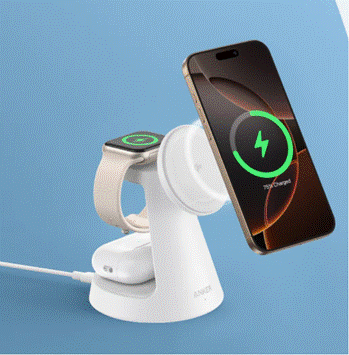
Using third-party chargers can be safe, provided they meet proper safety and power standards—though quality varies widely across the market. For many users, the question of whether to keep using old accessories arises when upgrading their phone. That’s why one commonly asked question is: does iphone 17 come with a charger? Once users learn it does not, they must decide whether their current charger is still reliable. In such cases, opting for a well-built Anker charger with clear safety certifications is a sensible choice—it ensures stable power delivery without unnecessary risk. In contrast, a poor-quality charger may lead to overheating, slow charging, or recurring connection errors over time. Being selective, rather than simply choosing the cheapest option, ultimately helps protect both your device and its long-term battery health.
Conclusion
Most iPhone charging problems have straightforward explanations and practical solutions. By checking accessories, cleaning ports, managing heat, and understanding error messages, you can resolve many issues at home. Healthy charging habits protect battery performance and improve daily reliability. Small preventive steps often make the biggest difference. With the right knowledge, iPhone charging becomes predictable instead of frustrating.